Google Just Raised Your Monthly Spend Ceiling Without Changing Your Daily Budget
Google's March 1 pacing change raised the effective monthly spend ceiling for Ad Scheduled campaigns. The math for three common scheduling scenarios and why you need to act before Smart Bidding adapts.

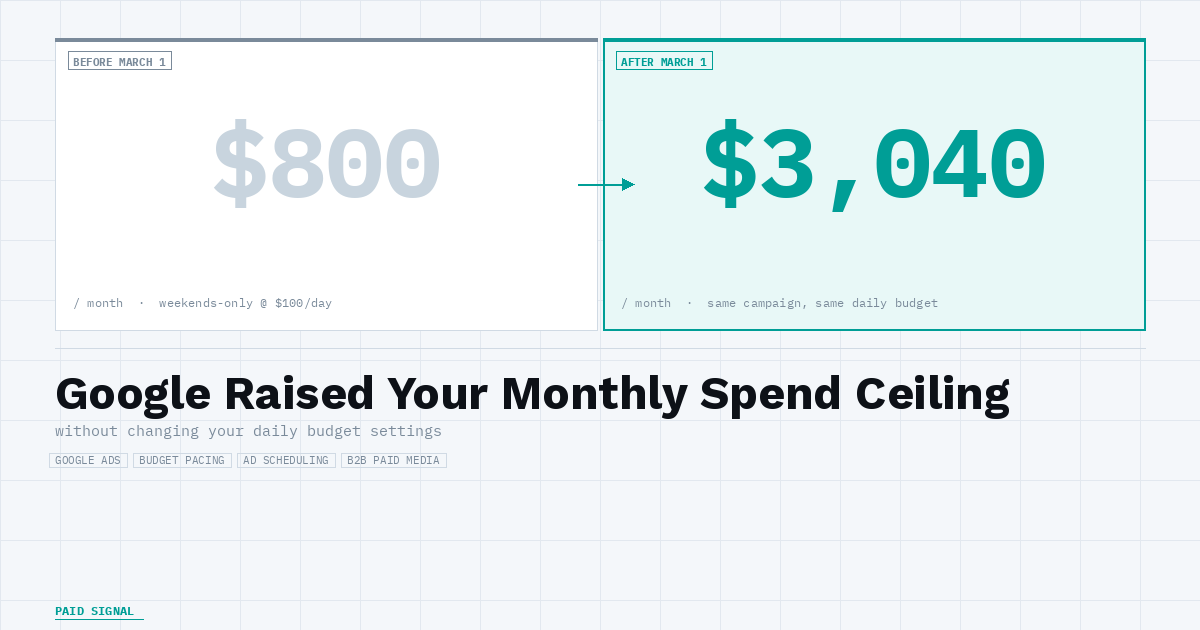
If you are running Google campaigns on Ad Scheduling, your monthly spend ceiling changed today without any change to your daily budget settings.
Google updated how it paces budget for Ad Schedule campaigns on March 1, 2026. The previous behavior targeted spend across your active scheduled days only. The new behavior attempts to reach the full 30.4x monthly multiplier across all calendar days, regardless of how many days you scheduled.
Scenario 1: Weekends-only campaign. At $100/day, your old monthly ceiling was approximately $800 (8 weekend days x $100). The new ceiling is $3,040 (30.4 x $100). Google will not spend that full amount if your campaign does not have the traffic to support it, but the pacing target just increased by roughly 3x. If your quality score is high and your bids are competitive, you will find out about this change through your invoice.
Scenario 2: Business hours only (M-F, 8am-6pm). At $100/day, your old ceiling was roughly $2,200 (22 weekdays in an average month x $100). The new ceiling is $3,040. Less dramatic, but a 38% increase. B2B accounts running business-hours-only targeting are the most common setup in SaaS accounts, and this is the scenario most likely to go unnoticed.
Scenario 3: Specific-day targeting (e.g., M/W/F only). At $100/day, roughly 13 active days per month puts your old ceiling around $1,300. The new ceiling is $3,040. More than double.
The daily spend cap remains at 2x your average daily budget as a hard stop. Google is not removing that limit. What changed is the monthly ceiling for campaigns that run fewer than 30.4 days: it now targets the full multiplier regardless of how many days are scheduled.
There is a secondary risk. If you reduce your daily budget significantly to get back to your actual monthly target, Smart Bidding may enter a relearning period of up to a week. Efficiency can dip while the algorithm recalibrates. The faster you act, the less inflated spend data gets baked into your bidding model before you correct course.
The fix.
Open Campaign Manager now. Filter by campaigns using Ad Scheduling. For each one, calculate your actual monthly target, divide by 30.4, and set that as your new daily budget.
This is a demand capture infrastructure change, not a targeting or creative update. The effective monthly ceiling increased for any campaign running fewer than 30.4 days. If your account is budget-constrained on those campaigns, you could feel this. If you are impression-constrained, you may not.